One-tap tracking
Start a drive in seconds, then review it when you arrive.
 MilelightApp Store · Coming soon
Milelight is a focused, private mileage recorder for iPhone. Tap once to begin a drive, classify it when you arrive, and keep a clean log ready for work.
3 days free for eligible new subscribers. No Milelight account. Your saved trips stay yours.
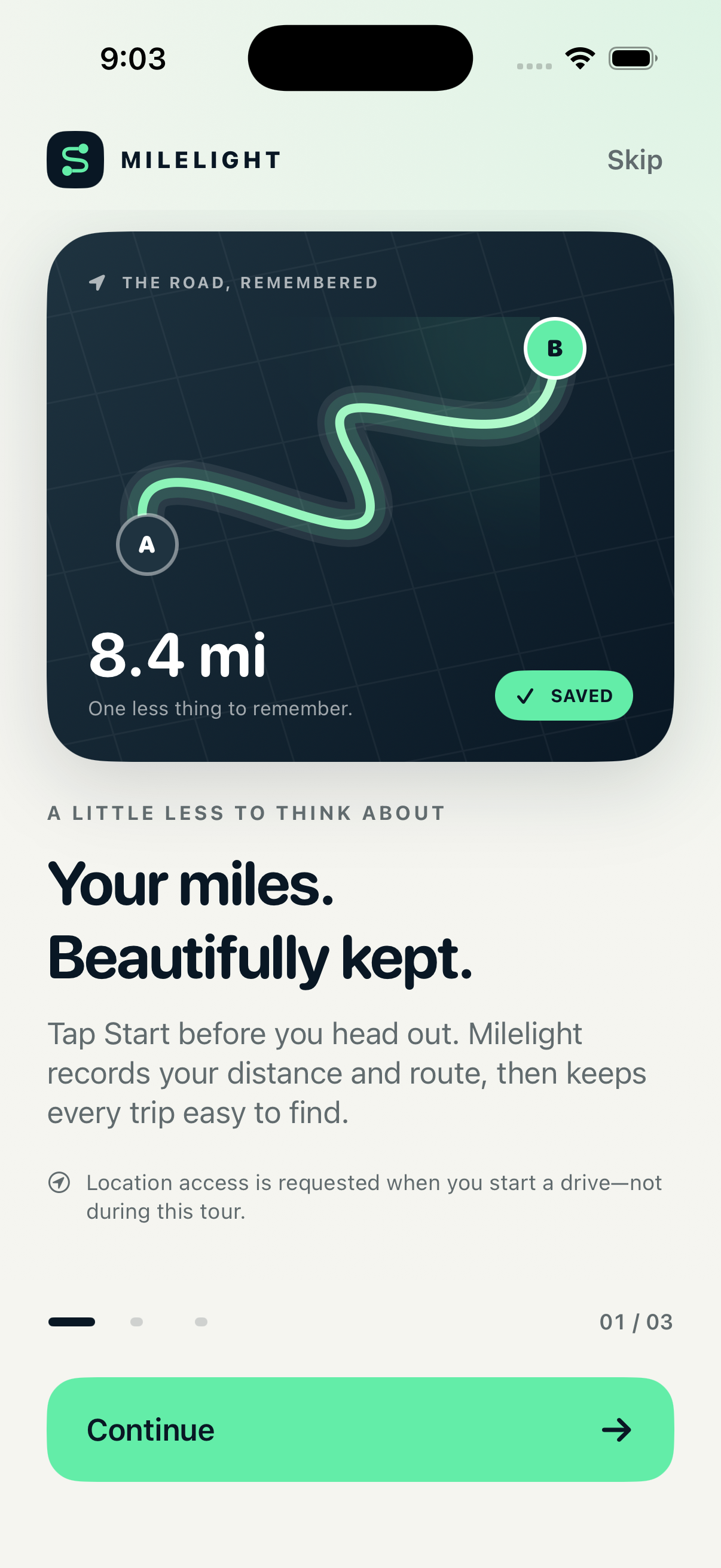
Start a drive in seconds, then review it when you arrive.
Your trip log and GPS routes stay on your iPhone.
Export polished weekly, monthly, and yearly mileage PDFs.
A little less to think about
From the first tap to a shareable report, Milelight keeps the details close without turning your mileage log into a second job.
Turn on optional Auto Track and Milelight can recognize a drive in the background. Every detected drive waits for your approval before it joins your records.
Optional · Always under your control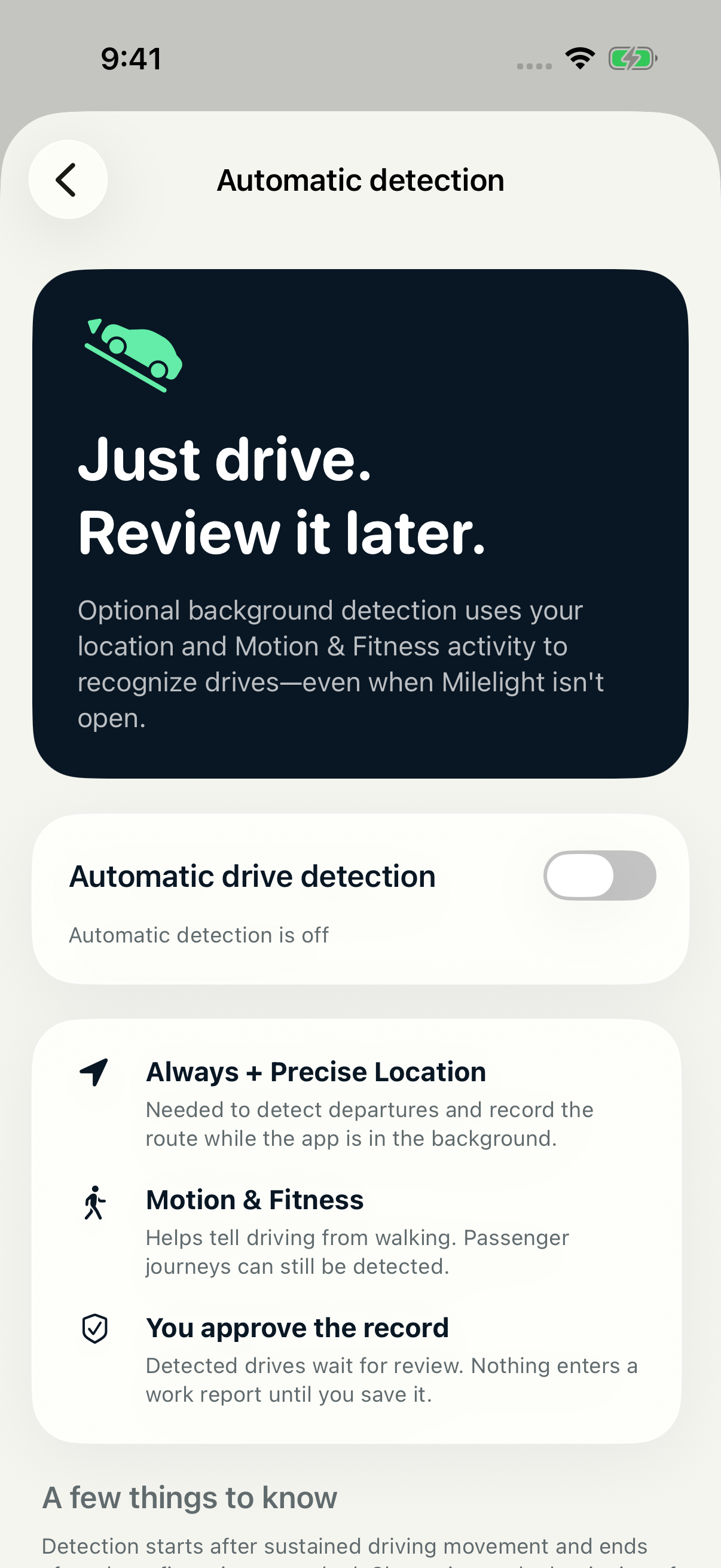
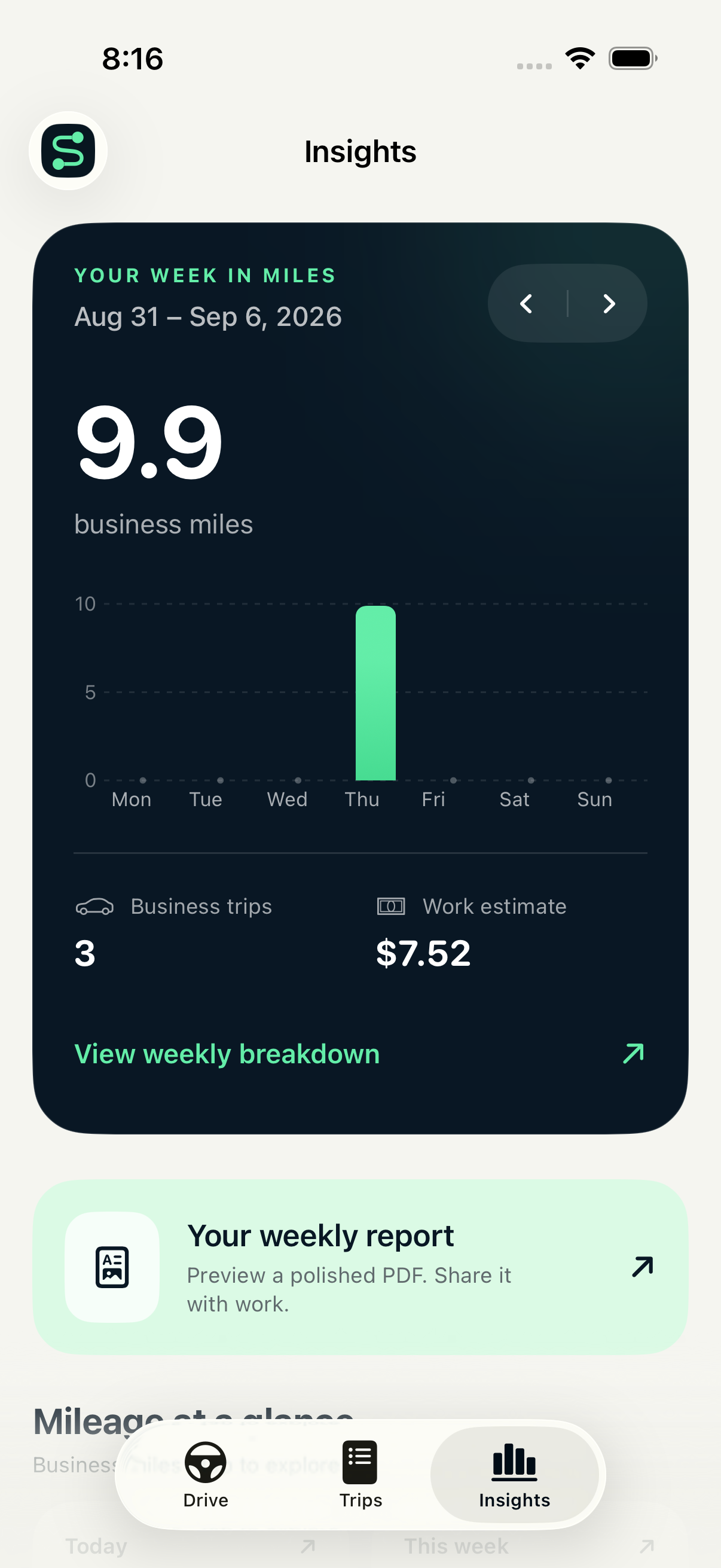
Explore daily, weekly, monthly, and yearly totals with clear breakdowns by purpose.
Create polished weekly, monthly, and yearly PDF reports, or export your log as CSV.
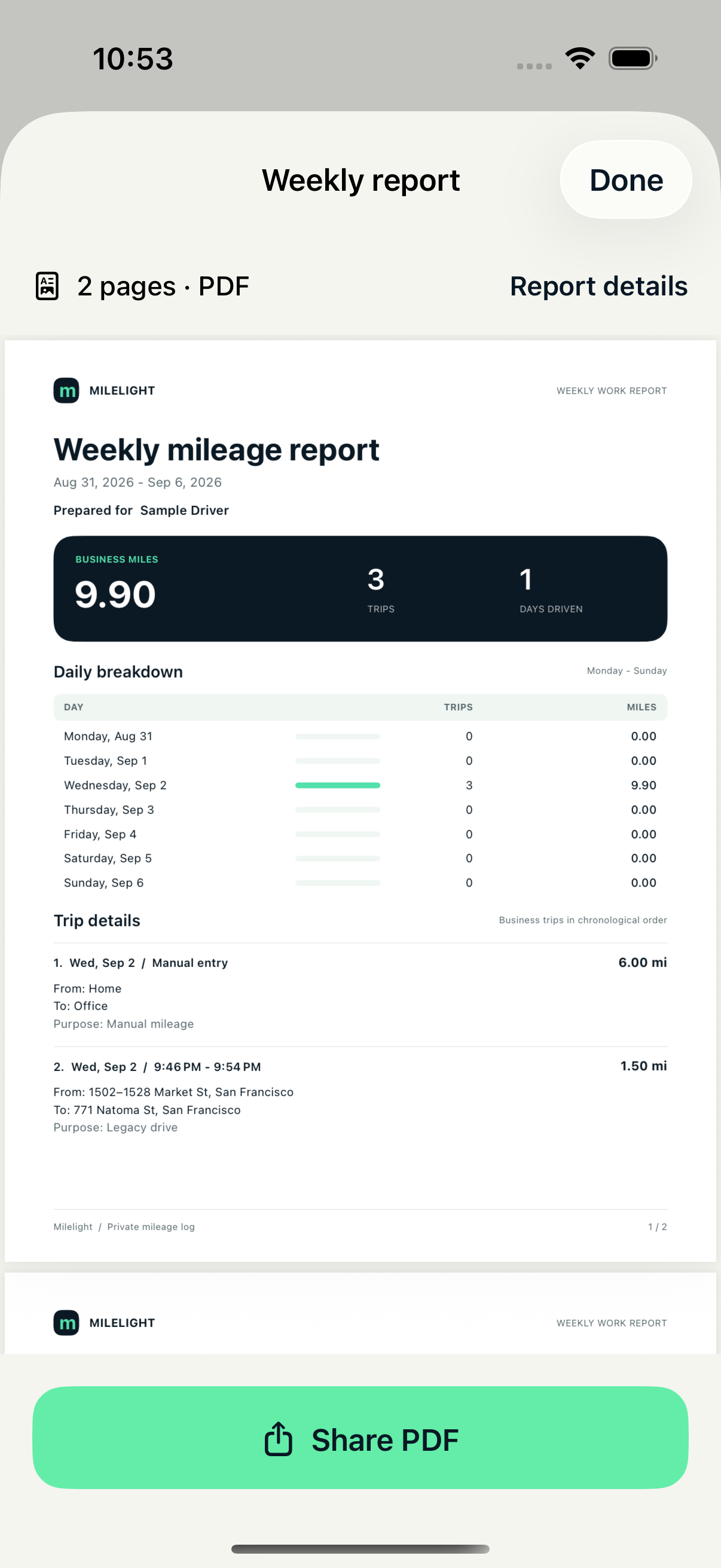
App screens contain sample trip data.
From road to record
Milelight stays focused on the small steps that make a mileage log useful later.
Tap Start, add a missed trip manually, or opt into Auto Track.
Check the route, places, mileage, purpose, and notes.
Share a polished PDF or CSV only when you choose.
Privacy by design
Milelight is built around a local trip log. There is no Milelight account, ad network, analytics SDK, or tracking server following where you go.
Read the full privacy policyOpen the app and get moving. There is no Milelight login.
No advertising or third-party analytics SDKs.
Trips, routes, labels, and notes are kept on your device.
Reports leave Milelight only when you choose to share them.
Simple from the start
Choose Weekly or Annual, then confirm with Apple. Eligible new subscribers get three days of unlimited driving before their first payment. The renewal price is shown before you commit.
Unlimited drives. Your chosen plan renews automatically unless you cancel.
Unlimited automatic recording, manual recording, and manual entries while your trial or subscription is active.
Cancel in Apple subscription settings at least 24 hours before the trial ends to avoid renewal. One introductory offer per subscription group. Your saved trip history, editing, insights, and exports remain available even without Pro.
No. Milelight has no account system. Your saved trips and settings live on your iPhone.
Yes, if you choose to enable Auto Track. It uses background location and Motion & Fitness to recognize drives, then holds each one for your review before it enters your log.
Eligible new subscribers can choose Weekly or Annual and confirm a three-day free trial with Apple. Record unlimited drives during the trial. Your plan automatically renews at the price shown before confirmation unless canceled at least 24 hours before the trial ends. Apple allows one introductory offer per subscription group—not another trial when you switch plans. Your existing trips, reviews, insights, edits, and exports remain accessible afterward.
No. Milelight helps organize supporting records, but estimates are not guaranteed reimbursements or deductions. Your eligibility depends on your circumstances.
Coming soon to the App Store
Milelight for iPhone is currently in testing. This page will link directly to the App Store when the public release is available.